




Students who may face any problem in logging in to the CBSE Class 12 Compartment Exam 2026 site can retrieve the Application number from the printout of the form, school or the confirmation SMS/Email.
- CBSE Class 12 Compartment Exam 2026 site cbse.gov.in is useful for filling the form, downloading admit card and checking results.
- Students who forget their password can reset it through the “Forgot Password” option using the registered mobile number.
- Candidates facing login problems should clear browser cache or switch to Chrome or Firefox browser.
- If Students still are unable to access the portal can contact the CBSE helpline at 011-22509256 or 011-22509257.
Related Links :
- CBSE Class 12 Compartment Exam 2026: Registration Open, Date Sheet, Eligibility and Result
- CBSE Class 12 Exam 2023 Latest News and Updates

Common Login Issues on cbse.gov.in for CBSE Class 12 Compartment Exam 2026
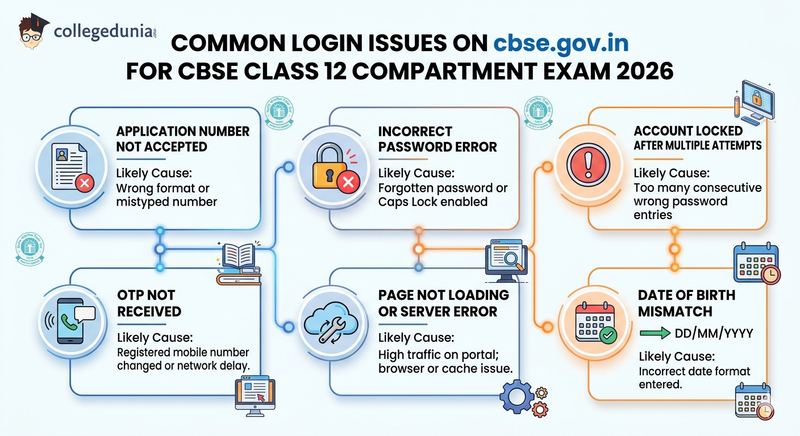
Candidates applying for CBSE Class 12 Compartment Exam 2026 are expected to face login issues due to incorrect application number formats or typing errors on official website.
- Password related errors such as incorrect entries or account lockouts occur after multiple failed login attempts during registration.
- OTP delays, server errors and data mismatch issues are expected to be linked with high portal traffic, outdated browser cache or incorrect personal details entered by candidates.
| Login Issue | Likely Cause |
|---|---|
| Application number not accepted | Wrong format or mistyped number |
| Incorrect password error | Forgotten password or Caps Lock enabled |
| Account locked after multiple attempts | Too many consecutive wrong password entries |
| OTP not received | Registered mobile number changed or network delay |
| Page not loading or server error | High traffic on portal; browser or cache issue |
| Date of birth mismatch | Incorrect date format entered (use DD/MM/YYYY) |
Also Read : CBSE Class 12 Toppers 2026
How to Recover Your Application Number for CBSE Compartment Exam 2026
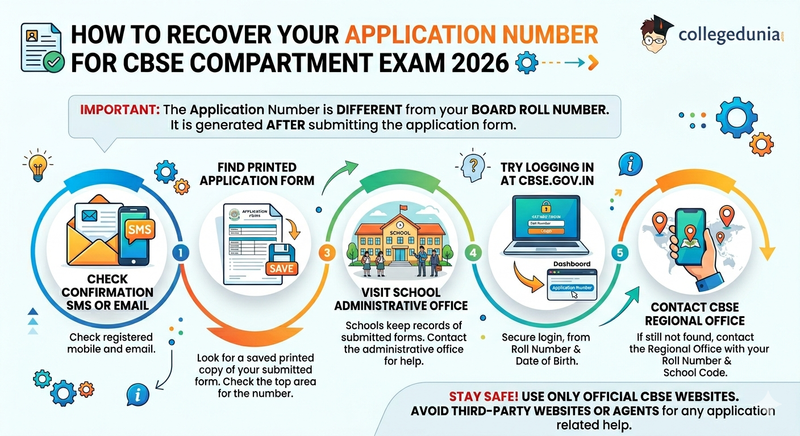
The CBSE Class 12 Compartment Exam 2026 application number is different from the board roll number and is generated after the application form is submitted.
- Students can find the application number in the confirmation SMS or email sent by CBSE on the registered mobile number or email ID.
- Students should look for the printed copy of the application form if saved at the time of submission which also contains the application number at the top.
- Students can visit School administrative office as schools keep a record of the application number since they submit the compartment formse.
- Students can also try logging in at cbse.gov.in using their roll number and date of birth as the dashboard may show the linked application number in some cases.
- If the application number is still not found then students should contact the CBSE Regional Office with their roll number and school code for assistance.
- Students should avoid third party websites or agents and use only official CBSE websites for any application related help.
Also Read : CBSE Class 12 Grading System 2026: Check CGPA, How it Works, Grade Point and Percentage
How to Reset Your Password on cbse.gov.in
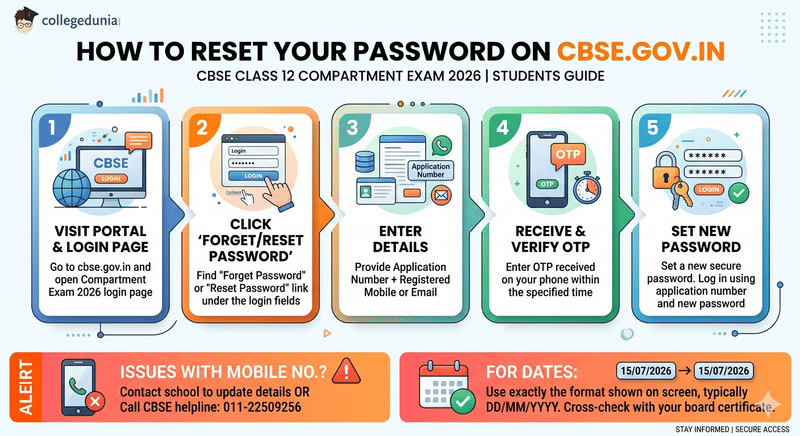
Students who forget their password for the CBSE Class 12 Compartment Exam 2026 portal should follow the steps given below:
- Step 1: Students need to visit cbse.gov.in and open the Compartment Exam 2026 login page.
- Step 2: Now students should click either on “Forget Password” or “Reset Password” option found under the login form.
- Step 3: Students need to enter the application number along with registered mobile number or email ID to proceed.
- Step 4: Studenst will receive an OTP on registered mobile number which must be entered within the specified time limit.
- Step 5: After verification students can set a new password and then log in using the application number and new password.
- In case the student's registered mobile number is not active then they should contact their school to update details or reach the CBSE helpline at 011-22509256.
Also Read:
Step-by-Step Login Process for CBSE Class 12 Compartment Exam 2026
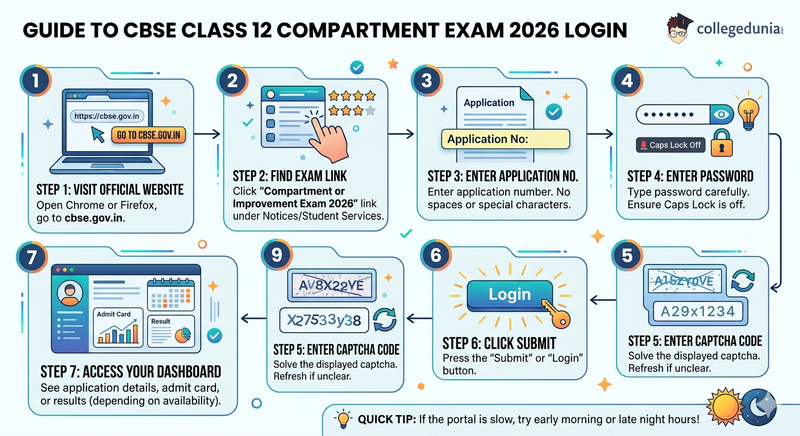
Candidates need to follow these steps given below to login for CBSE 12 Compartment Exam 2026:
- Step 1: Students should open Chrome or Firefox and visit cbse.gov.in to begin CBSE Class 12 Compartment Exam 2026 login process.
- Step 2: Now student need to click on the “Compartment or Improvement Exam 2026” link under notices or student services section.
- Step 3: Student need to enter the application number in the login field without adding any space or special characters.
- Step 4: Student need to type the password carefully and ensure Caps Lock is turned off before submitting.
- Step 5: Students need to enter the captcha code shown on the screen and refresh it if it is unclear.
- Step 6: Now student should click on the “Submit” or “Login” button to proceed to the dashboard.
- Step 7: The dashboard will display application details, admit card or result services depending on availability.
- If the portal is slow or not responding then students should try logging in during early morning or late night hours.
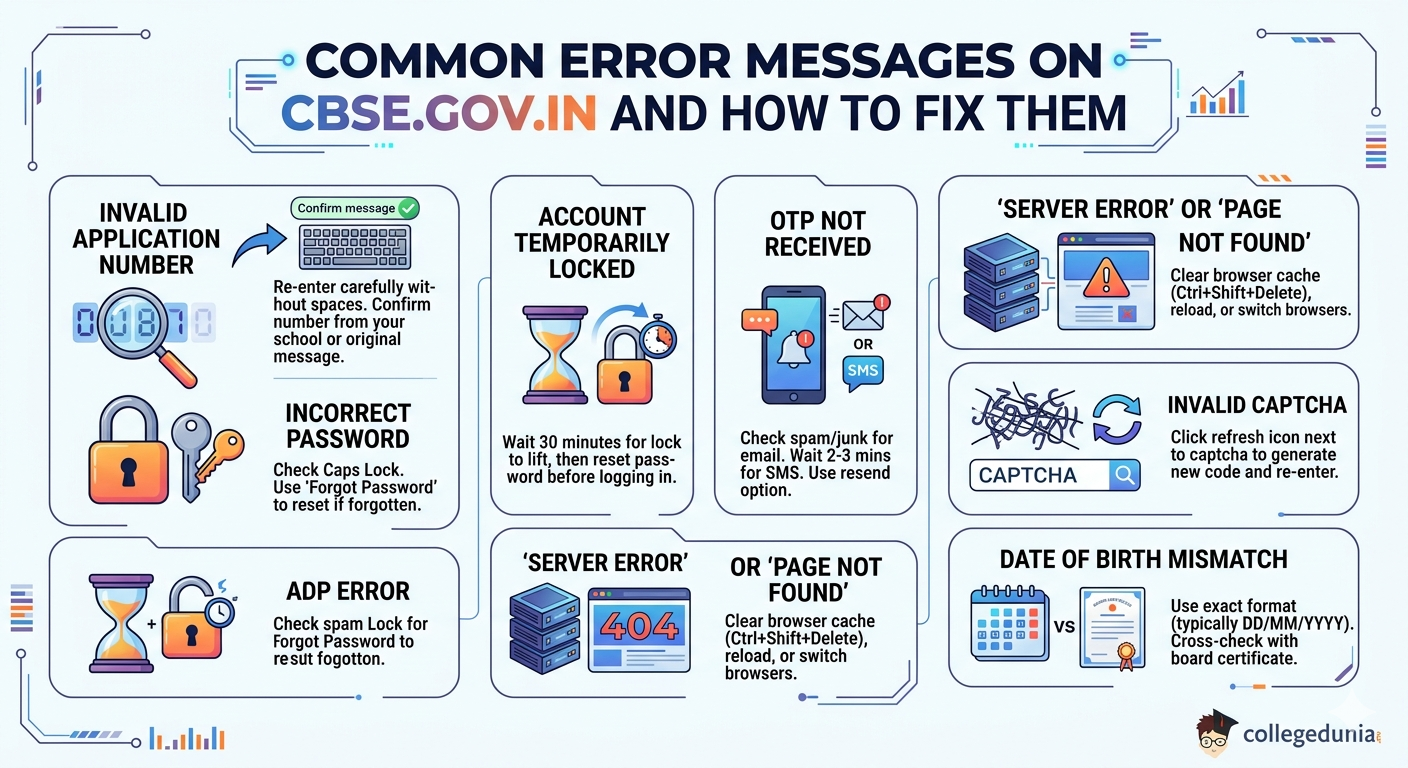
Common Error Messages on cbse.gov.in and How to Fix Them
Candidates using cbse.gov.in for CBSE Class 12 Compartment Exam 2026 commonly face “Invalid Application Number” errors due to incorrect entry or mismatch with official records.
- “Incorrect Password,” “OTP Not Received,” and “Account Temporarily Locked” errors are linked to login mistakes, delayed verification messages or multiple failed login attempts on the portal.
- Server-related issues such as “Page Not Found,” captcha errors and date of birth mismatch are reported during high traffic or incorrect input formats on the CBSE portal requiring cache reset or re-entry of correct details.
- If login or portal errors continue students should note the exact error message and contact the CBSE helpdesk at 011-22509256 or 011-22509257.
- Candidates can also email cbse.exambranch@gmail.com with their roll number, school code and a screenshot of the issue for quicker resolution.
| Error Message | How to Fix It |
|---|---|
| "Invalid Application Number" | Re-enter carefully without spaces. Confirm the number from your school or the original confirmation message. |
| "Incorrect Password" | Check that Caps Lock is off. Use "Forgot Password" to reset if you have forgotten it. |
| "Account Temporarily Locked" | Wait 30 minutes for the lock to lift automatically, then reset your password before logging in again. |
| "OTP Not Received" | Check the spam or junk folder for email OTP. Wait 2–3 minutes for SMS. Use the resend option if available. |
| "Server Error" or "Page Not Found" | Clear browser cache with Ctrl+Shift+Delete, reload the page, or switch to a different browser. |
| "Invalid Captcha" | Click the refresh icon next to the captcha field to generate a new code and re-enter it. |
| "Date of Birth Mismatch" | Use exactly the format shown on screen, typically DD/MM/YYYY. Cross-check with your board certificate. |
CBSE Class 12 Compartment Exam 2026 Login FAQs
Ques. Where can I find my application number for CBSE Class 12 Compartment Exam 2026?
Ans. Your application number is sent via SMS and email after the compartment application is submitted. It also appears on the printed application form and is available in your school’s administrative records.
Ques. I did not receive the OTP on my registered mobile number. What should I do?
Ans. Wait 2–3 minutes and check again. If your mobile number has changed, ask your school to update it through the school’s CBSE portal account. You can also call the CBSE helpline at 011-22509256 for assistance.
Ques. My account is locked after wrong password attempts. How do I unlock it?
Ans. The lock lifts automatically after 30 minutes. Once it does, use the "Forgot Password" option to set a new password before attempting to log in again to avoid triggering another lock.
Ques. Is the CBSE compartment application number the same as my Class 12 roll number?
Ans. No. The compartment application number is a separate number assigned when you submit the compartment form. Your Class 12 roll number is a different identifier used for board results and marksheets.
Ques. Can I log in to cbse.gov.in from a mobile phone?
Ans. Yes, cbse.gov.in is accessible on mobile browsers. Use Chrome or Firefox for the best experience. If the page does not display correctly, enable desktop mode in your browser settings.
Ques. Who should I contact if my CBSE login issue is not resolved by self-service options?
Ans. Call the CBSE helpline at 011-22509256 or 011-22509257 during office hours. You can also email cbse.exambranch@gmail.com with your roll number, school code, and a brief description of the issue along with a screenshot if possible.



Comments